
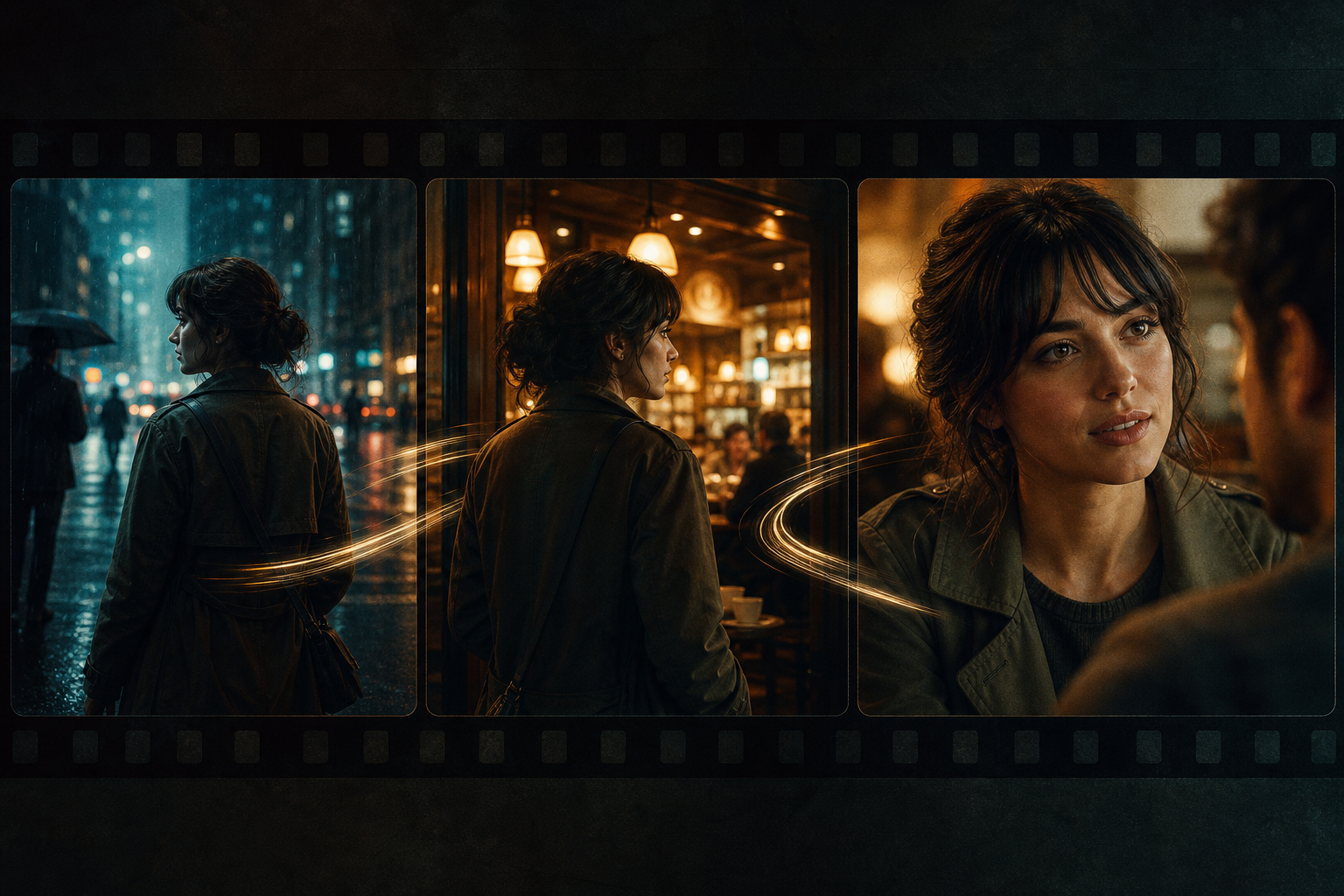
Creators searching “Seedance multi-shot,” “Seedance 2.0 short-drama storyboard,” or “Seedance AI narrative continuity” can usually land a single shot—but stall when “each clip is fine, the edit feels collage.” This guide puts Seedance, Seedance 2.0, and Seedance 2.5 into a multi-shot storytelling workflow—from shot goals to cross-shot QA—so you get fewer face swaps, space jumps, and audio breaks.
Related hubs: Seedance 2.0 · Seedance 2.5 · AI Video Generator · Character Consistency Guide · What Is Seedance
Why “Seedance multi-shot storytelling” is a high-intent query
Single shots fit offer reveals and mood films; short-drama previz, brand micro-stories, and step-by-step tutorials need several shots linked by cause and effect. Seedance 2.0 director-level control, multimodal references, and native audio-video sync let you write each shot as an executable beat—not a random style collage. Turning search intent into cross-shot acceptance criteria improves Seedance 2.0 / Seedance 2.5 finish quality more than repeating “cinematic.”
- Complete narrative: setup—conflict—turn—resolve maps to concrete shot goals
- Manageable consistency: character, wardrobe, space, and product look get cross-shot checkpoints
- Clear upgrade path: prove the storyboard template on 2.0, then evaluate 2.5 for longer continuous delivery
Before multi-shot: write a shot-goal table, then prompts
In Seedance multi-shot work, list what each of 3–6 shots must achieve: establish space, character entrance, conflict reaction, offer close-up, or emotional resolve. Without goals, every shot competes for attention and the cut frays. To hold faces, also see the character consistency guide.
- Establish: time, place, and who the subject is (readable in ~2 seconds)
- Action: advance one clear cause (open a door, pick up a product, exchange a look)
- Reaction / close-up: amplify emotion or offer—do not invent a new world
- Resolve: return to a memorable Logo/pose/space anchor for the next beat or CTA
Seedance 2.0 multi-shot: three cross-shot prompt layers
Layer 1: identity and space anchors (required)
Open every prompt by repeating the same identifiers: hair and wardrobe, product material and color, room key-light direction. Without anchor lines, Seedance 2.0 may deliver “almost the same person” each time. For multi-shot projects, store anchors as a reusable prefix instead of rewriting adjectives per shot.
Layer 2: shot duty and bridging (strongly recommended)
- State this shot’s duty: establish / advance / close-up / resolve (one primary duty only)
- Write bridge cues: ending pose, which hand holds the prop, screen direction (avoid axis jumps)
- Let camera serve duty: slow lateral to establish, dolly in to advance, locked or micro-push to resolve (see the camera movement guide)
Layer 3: audio rhythm and delivery specs (must-have for narrative)
Pick one master soundscape for the film (rainy-night tone, soft interior bed) and only add short accents per shot—do not change music genre every cut. Seedance native sync helps align footsteps, door opens, and electronic stings with action; see the audio sync guide. Also unify aspect ratio and per-shot duration targets so edits or direct placements stay clean.
A repeatable Seedance multi-shot workflow (6 steps)
- Write a 3–6 line shot-goal table: one verb goal per line—no vague “make it pretty”
- Freeze an identity-anchor prefix (character/product/space) shared by every shot
- Generate shot by shot: change only duty + action + camera—never the anchors
- Draft low-cost storyboards on Seedance 2.0 (or Fast)
- Run the cross-shot checklist: face, wardrobe, handedness, light, soundscape continuity
- Ship review/placement cuts from the stable template; upgrade to Seedance 2.5 for longer continuous takes
Multi-shot narrative acceptance checklist
- Are adjacent shots still the same character/product (no face swap, no SKU drift)?
- Is space continuous: door orientation, window light, desktop props without jumps?
- Is action causality readable: does the previous beat’s gesture land in the next result?
- Does audio share one soundscape without abrupt genre swaps or noise walls?
- Does the sequence finish setup→advance→resolve instead of three parallel showcases?
Four high-yield Seedance 2.0 multi-shot templates
- Three-beat micro-story: “Same black-haired young man, deep-blue jacket; ① rainy street establish with slow lateral; ② handheld follow through café door; ③ warm mid-shot sit-down resolve; light rain bed throughout; vertical, ~4–6s per shot.”
- Four-beat product reveal: “Strictly the same silver headphones; ① box wide; ② lid close-up; ③ wear mid-shot; ④ Logo dolly-in resolve; soft commercial light, light electronic bed, vertical 9:16.”
- Tutorial steps: “Same hands and same skincare bottle; ① counter establish; ② open lid; ③ pump press; ④ after-apply resolve; mostly locked macro, short tactile SFX, stitchable loops.”
- Brand emotion arc: “Same window-side scene; ① dusk empty establish; ② person enters; ③ cup close-up; ④ silhouette resolve; golden side light, light jazz bed, landscape—for social narrative, not a hard sell.”
How to pick a multi-shot strategy by scenario
- Short drama / narrative previz: shot-goal table + identity anchors first; add consistency flows when faces must hold
- Ecommerce multi-shot seeding: lock product anchors, keep action shots few and precise—see the ecommerce product video guide
- Feed hook sequences: earlier shot grabs attention, later shot delivers benefit—see the short-form marketing guide
- Brand half-minute story: validate storyboard logic on 2.0, then evaluate Seedance 2.5 to reduce splice feel
When does multi-shot storytelling need Seedance 2.5?
Most 3–6 shot boards with 4–8s per shot are most cost-effective on Seedance 2.0 (including Fast tests and Mini batching). Move a validated storyboard template to Seedance 2.5 when you need near-30s continuous narrative, parallel multimodal references, or less “splice then re-sync audio” overhead.
- Longer continuous takes where character and space turn multiple times inside one pass
- Look + camera + audio-style references constraining a complex narrative at once
- Brand hero films needing higher resolution and fewer visible edit points
- Same character must hold look, action, and audio-visual rhythm across a longer duration
See version differences in the 2.0 vs 2.5 comparison and the Seedance 2.5 product page. Rule: prove shot goals and anchors on 2.0 first, then upgrade for duration and continuity—do not burn 2.5 on every storyboard experiment.
Common multi-shot failure modes
- No shot-goal table—three shots all “look nice” with no causality
- Rewriting the character description every shot so anchors drift into face/wardrobe swaps
- Stacking complex lip sync, explosion FX, and multi-SKU close-ups in one shot with unclear duty
- Changing the soundscape every cut so the sequence feels like channel surfing
- Fragmenting an action that could be one shot—without bridge cues between pieces
Further reading
- Beginner workflow: How to use Seedance 2.0
- Prompt deep dive: Prompt engineering guide
- Text-to-video storyboards: Text-to-video guide
- Brand overview: What is Seedance
Conclusion
Treat Seedance 2.0 multi-shot work as a reusable storyboard production line: shot-goal table first, freeze identity and space anchors, give each shot one duty, and protect continuity with a shared soundscape plus checklist. Lock 3–6 shot templates on Seedance 2.0, then upgrade to Seedance 2.5 when longer continuous narrative is required. When ready, open Seedance 2.0 and start your next short-drama-grade AI video from a three-line goal table.